
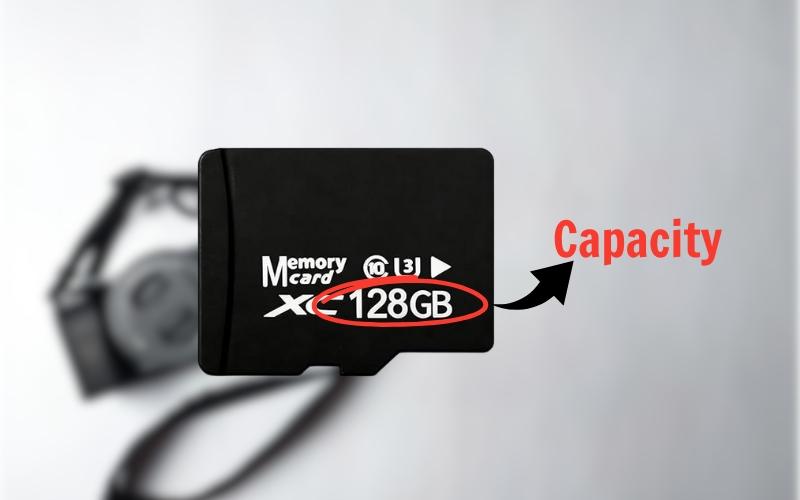
How to Choose the Right SD Card Capacity for Your Use
Choosing an SD card isn’t just about speed – it’s about capacity that matches how you actually use your device. Too small, and you’re constantly deleting files. Too large, and you’re paying for storage you’ll never touch. Here’s a practical workflow – first guide to picking the perfect SD card capacity.
Start With Your Workflow, Not the Number
Before looking at gigabytes, ask one question: What do I record, and for how long?
Photos, video, games, and continuous recording all consume space very differently. Matching capacity to workflow ensures smoother shooting, fewer interruptions, and better value.
Photography: From Everyday to Professional
- Casual photography (JPEG only):
32GB – 64GB is plenty, storing thousands of compressed images for daily use. - Serious & professional (RAW):
128GB – 256GB is the sweet spot. RAW files are much larger, so higher capacity prevents constant card swaps.
Action & burst shooting:
256GB – 512GB handles long, rapid – fire sequences without slowing you down.
Tip: If you shoot important work, consider multiple mid – size cards instead of one massive card to reduce data – loss risk.
Video: Capacity Rises Fast
Video is where storage is filled up quickly:
- Full HD (1080p): 64GB – 128GB for several hours of footage.
- Standard 4K: 128GB – 256GB for comfortable recording sessions.
- High – bitrate 4K / 8K: 256GB – 1TB is essential—professional formats consume storage at an aggressive rate.
If you shoot long takes or events, bigger cards mean fewer interruptions and safer workflows.
Gaming & Apps: Think Library Size
For devices like handheld consoles and smartphones:
- Casual & indie games: 128GB – 256GB
- AAA titles: 512GB – 1TB is the modern sweet spot, as single games can exceed 100GB.
- Power users: 2TB cards are now available for full libraries on the go.
Look for cards with A2 app performance for faster loading and smoother gameplay.
Dashcams & Security Cameras: Endurance Over Size
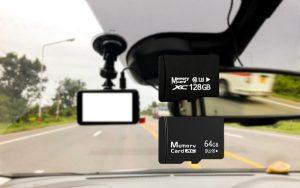
These devices overwrite footage continuously.
- 64GB – 128GB is usually enough.
- More important than capacity: high – endurance cards designed for constant write cycles.
Compatibility Matters
Before buying, double – check:
- SDHC vs. SDXC: Older devices may cap at 32GB, while modern ones support up to 2TB.
- Device limits: Bigger isn’t always better if your device can’t recognize it.
Balanced Storage Strategy
Many professionals choose multiple mid-sized SD cards rather than relying on a single high-capacity card. This strategy minimizes the risk of total data loss if one card fails, is lost, or becomes corrupted. It also improves workflow organization, allowing users to separate projects, shooting days, or file types more efficiently—while keeping backups safer and easier to manage.
For users unsure how to balance capacity, performance, and budget, SD card guides by TopMemoryCards offer device – specific recommendations.
Final Takeaways
The “best” SD card capacity isn’t the biggest – it’s the one that fits your workflow today and tomorrow. By choosing based on how you shoot, record, or play, you’ll save money, protect your data, and enjoy a smoother experience from day one.
Ready to upgrade? Choose capacity with purpose and let your SD card work as hard as you do.